

You picked up the phone to set an alarm. Somehow you are now watching a stranger reorganise a fridge. The alarm required considerably less research.
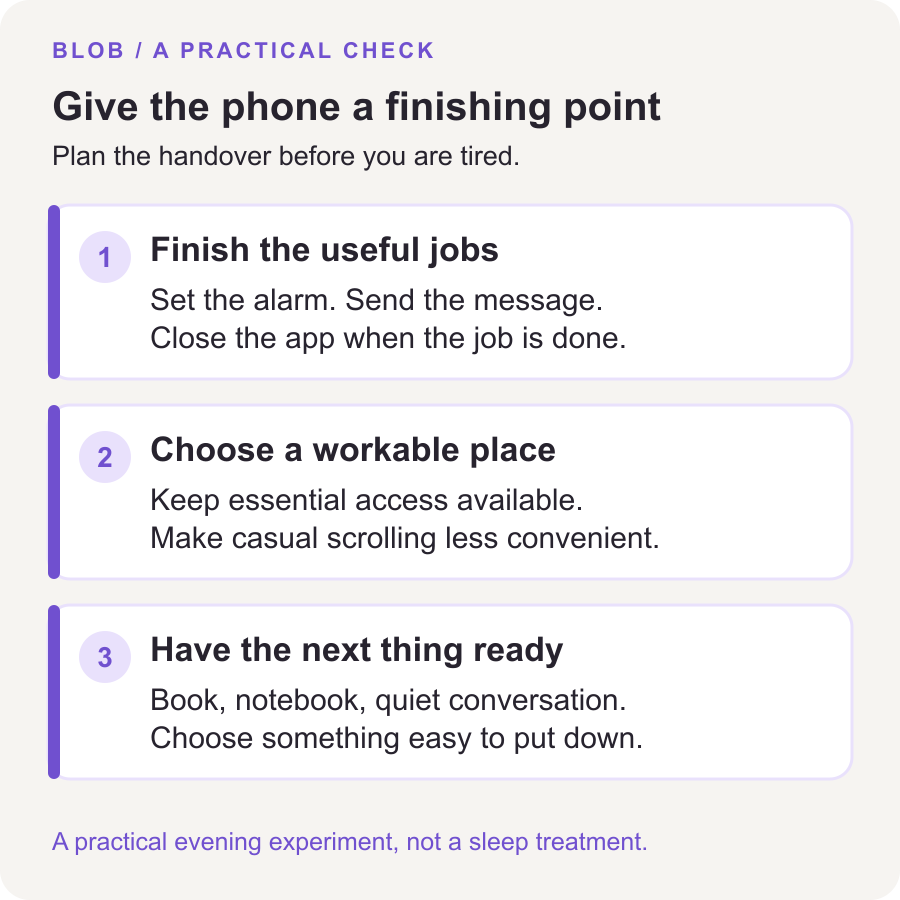
To stop scrolling before bed, give your phone a clear finishing point: complete the useful jobs, put it in a place that suits your real needs, and have something easy ready to do next. Decide those details earlier in the evening, while you still have some enthusiasm for decisions.
You do not have to remove every screen from your life. Start with the stretch of scrolling that keeps taking time you meant to spend winding down.
Separate the last useful task from the feed
“I need my phone tonight” can mean several things. You might need an alarm, a message from a family member, an accessibility tool, or a health app. None of those automatically requires another half-hour in a feed.
Before your intended wind-down time, make a short list of the phone jobs that actually need doing. For example: set tomorrow's alarm, reply to the person collecting you in the morning, and check the first appointment in your calendar. Do those jobs together. Then close the app you used.
If a non-urgent question appears afterward, write it on paper for tomorrow. A note reading “look up dishwasher filter” is sufficient. The internet will still have strong opinions about dishwasher filters in the morning.
This is an experiment in ending a session, not a rule against useful access. If something genuinely needs attention, handle it. Return to the stopping point when the task is finished.
Choose a place for the phone that you can actually use
Leaving a phone outside the bedroom can be a practical option when you do not need it nearby. If you rely on it overnight, choose a location that preserves that access while making casual scrolling less convenient. A shelf across the room may suit one person; someone with mobility or medical needs may need it much closer.
Work through the awkward details before bedtime:
- Alarm: set it in advance. If you change the phone's position or use a separate alarm, test that you can hear and reach it as needed.
- Important contact: decide who needs to reach you. Check your device's notification and exception settings rather than assuming every call will get through.
- Essential apps: keep needed health, accessibility and communication functions available.
- Charging: use a suitable, unobstructed surface and your device's charging guidance. Avoid a cable arrangement that creates a trip hazard.
You are looking for a workable place, not a dramatic act of separation. If the phone needs to stay beside you, the next change can be closing the feed, silencing nonessential alerts, or removing its Home Screen shortcut.
Put the alternative within reach
A vague plan to “do something relaxing” leaves you with another choice at the moment you are tired. Choose something ordinary that you already enjoy: a few pages of a familiar book, a simple paper puzzle, a quiet conversation, or preparing clothes for the morning.
Set it out before putting the phone down. Open the book to its bookmark. Leave the notebook and pen together. If you use audio, choose it in advance and close the browsing screen instead of spending your wind-down searching for the perfect thing to wind down to.
The alternative does not need to improve you. Bedtime is allowed to arrive without a completed self-development programme. It does need an ending, though. If a gripping novel regularly keeps you up later than you intend, choose something easier to put down.
For a starting reference, the CDC's sleep guidance recommends switching off electronic devices at least half an hour before bed. Treat that as general sleep advice, not a guarantee that a particular routine will make you fall asleep. Your schedule and support needs may require a different arrangement.
Leave room for the evening you wanted
Sometimes scrolling is the first activity all day that feels like your own choice. Removing it without leaving any enjoyable time can make the new rule difficult to want.
Where your schedule allows, give yourself a deliberate leisure window before the wind-down begins. Choose what you want from it: message a friend, watch a particular video, or browse for a while with a planned ending. You do not have to earn that time by finishing every chore.
If work or care responsibilities leave very little room, keep the experiment small. Protect one transition—such as putting the phone down after setting the alarm—instead of designing an elaborate evening you cannot fit into your life.
Give a limit a specific job
A scheduled restriction can support an evening boundary. A daily allowance may already be used up hours before bedtime, so check whether your tool matches the time you actually want to protect. Our iPhone setup guide explains the choices and links to Apple's version-specific instructions.
If you keep extending the limit, do not immediately make it harsher. Look at what sent you back: an unfinished task, an important message, or a feed opening by reflex. The guide to limits you keep ignoring helps you separate those situations.
Blob asks for a math problem before selected distracting apps open. That can provide an extra opening decision, but it is not a sleep treatment and it does not decide your bedtime. If doing a puzzle is the last thing you want at night, use the interruption as an opportunity to leave the app closed. You can also try the routine here without an app.
Write one plan for tonight
“After I set my alarm and send my last necessary message, I will put the phone on the desk and read the book already on the chair. If I need to use the phone again, I will name the task first and put it back afterward.”
That is an example, not a prescription. Change the place and activity to fit your home. Tomorrow, notice where the plan became awkward. Did you forget an essential task? Was the alternative out of reach? Did you replace the phone feed with a tablet feed? Adjust that detail before adding more rules.
If you notice yourself scrolling later than planned, you can stop at that point. There is no need to wait for a new day to make the evening “count.” For a broader review of unwanted phone use, start with the seven-day screen-time reset.
What if putting the phone down does not solve sleep?
Less scrolling and easier sleep are different outcomes. You might successfully end the feed and still have trouble sleeping. Persistent sleep problems deserve attention beyond phone settings.
The NHS recommends seeking medical advice when changes to sleeping habits have not helped, sleep difficulty has lasted for months, or it is making daily life hard to cope with. You do not need to prove that you have perfected your evening routine before asking for help.
Want an extra pause before the feed opens?
See how Blob's math gate works and decide whether that kind of interruption fits the habit you want to change.
Sources and editorial notes
By Blob, the app's publisher. Sources and product wording checked October 28, 2026. The examples are suggestions, not personal testimonials or promised results. Reader questions in a NoSurf bedtime discussion helped identify the practical problem; Reddit replies are not evidence for sleep or treatment claims.